What is an MLS blast? A guide for real estate agents
An MLS blast or MLS email blast is an email about a property listing that you send to other real estate agents. It gives nearby agents a quick way to see what’s new and decide whether the property might fit one of their buyers.
Start with your property address
Find your listing and open the flyer builder with the address filled in.
How is it different from posting to the MLS?
Posting to the multiple listing service makes the property available through the MLS. An email blast puts a flyer in front of agents who might have a buyer for it. Agent Email Blast sends the flyer by email. You manage the listing itself through your brokerage or MLS.
When should you send one?
- New listing. Lead with the property’s most useful selling point and tell agents how to book a showing.
- Open house or broker open. Send early enough for agents to share the invitation with clients. Include the day, time, address, and any access instructions.
- Price reduction. Put the new price where agents can spot it quickly. Check that the flyer and listing link show the same price.
What to put in an MLS email blast
Give agents enough information to decide whether the property fits a buyer and make the next step easy.
- A clear subject line. Say what’s new, such as “Just listed in Los Angeles,” “Open house Sunday, 1–4 p.m.,” or “New price at 123 Listing Dr.”
- The key property details. Include the full address, current price, a strong photo, and a few features buyers will care about.
- A link and a next step. Include a listing or flyer link agents can share with buyers, plus a clear way to request a showing or contact you. For an open house, add the date, time, and any access instructions.
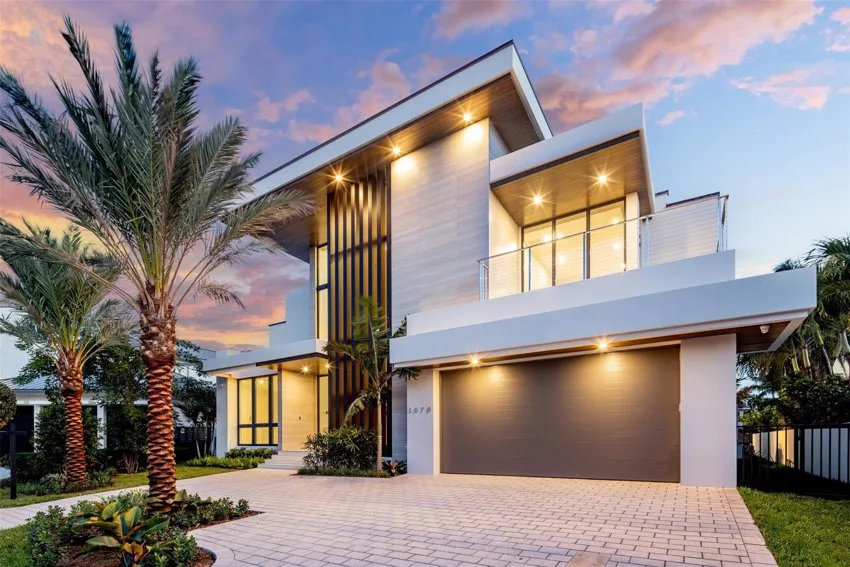
Sunday, 1–4 p.m. · 123 Listing Dr, Los Angeles, CA · $2,500,000
Illustrative flyer with fictional listing details.
View sample flyerWho should receive it?
Start with agents who work near the property. Expand the radius if buyers for this listing are also likely to come from surrounding markets. Before sending, open the flyer on your phone and check the address, price, event time, and contact links.
Have a listing to promote?
Enter the property address to start your flyer. Choose your coverage and preview the flyer before you pay.
Create your listing flyer