Send an E-Blast to Real Estate Agents
Put your listing in front of agents near the property. Create an e-flyer with our designs or upload your own, then choose where and when to send it.
See what agents receive
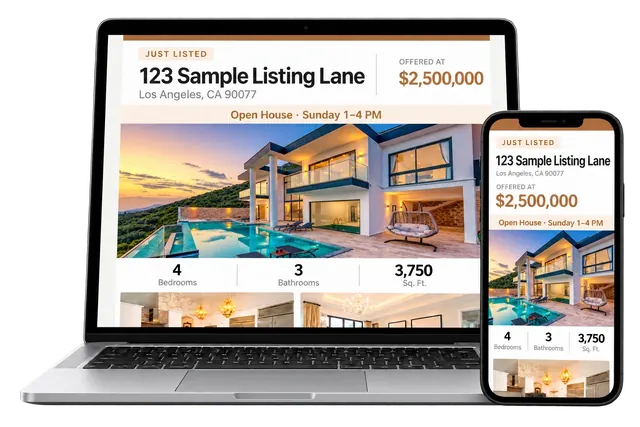
An agent-to-agent email blast gives local agents a listing they can review and pass along to buyers. Open the sample to see the property photos, agent contact details, and the showing button.

123 Listing Dr · 5 beds · 4 baths · $2,500,000
Turn a listing into an agent-to-agent eblast
Find the property
Start with the address. Select a matching listing when one is available, or add the details yourself.
Choose what to send
Build an e-flyer with photos and property details, or upload a design you already use. Preview it on desktop and mobile.
Pick the area and date
Choose a radius around the property and review the timing and total before checkout.
What does a real estate e-blast cost?
Pay per blast, starting at $4.99. Start with the agents who work closest to the property. Consider a wider area when agents in neighboring markets may have buyers for the listing.
| Radius | Emails, up to | Per blast |
|---|---|---|
| 3 miles | 1,000 | $4.99 |
| 5 miles | 2,000 | $9.99 |
| 10 miles | 4,000 | $19.99 |
| 20 miles | 6,000 | $29.99 |
| 30 miles | 10,000 | $49.99 |
The available audience depends on the property and coverage area. Review your selection before checkout.
Give local agents a reason to look
New listing
Lead with a standout photo and make the showing request easy to find.
Open house
Give agents the address, date, and hours so they can share the invitation with buyers.
Broker open
Choose Broker Open and put the invitation and access details up front.
Price improvement
Show the updated price and invite agents to take another look.
Share the flyer after your eblast goes out
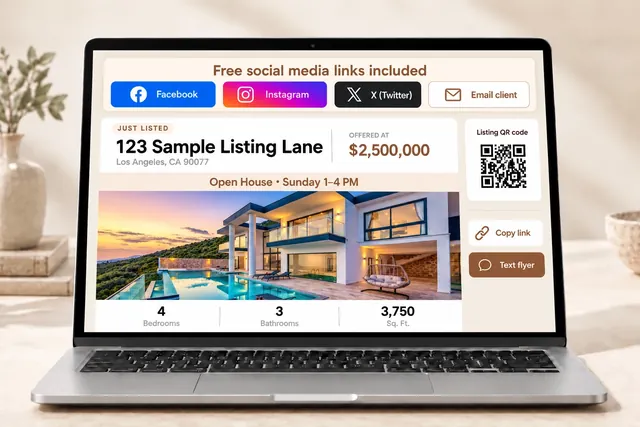
Forward a copy to your seller, share the flyer link on social media, or use the QR code on an open house handout. Your campaign report shows delivery, opens, and clicks as data becomes available.
Questions from agents and REALTORS®
Sending, coverage, and e-flyer options for real estate professionals.
How do I send an eblast to REALTORS® near my listing?
Enter the address and choose a coverage radius around the property. Agent Email Blast helps you reach active agents in that area, including realtors and brokers. The available audience varies by address.
Can I use my own real estate eflyer?
Yes. Select the custom flyer option in the builder and upload your finished design. You can also build an e-flyer using your own photos and property details.
Can I send an e-blast for a broker open?
Yes. Select Broker Open as the occasion when you build your flyer. Include the hours and any instructions agents need to attend.
Can I schedule a real estate eblast?
Yes. You can request same-day sending or select a later date. Review the available options at checkout.
Do I need an MLS number or a subscription?
You can start with the property address and pay per blast. If you’re looking for the MLS-specific workflow, see how to send an MLS blast.
Have a listing ready to share?
Start with the property address and preview your e-flyer before you pay.