
Create a Real Estate E-Flyer Agents Can Share
Build a digital listing flyer with your own photos and details, or upload your finished design. Preview how it looks on a phone before sending it to local agents.

See how an e-flyer looks on a phone
Open the sample and switch between desktop and mobile. Try a photo layout or accent color, then see how the showing, photo, and agent contact buttons look.
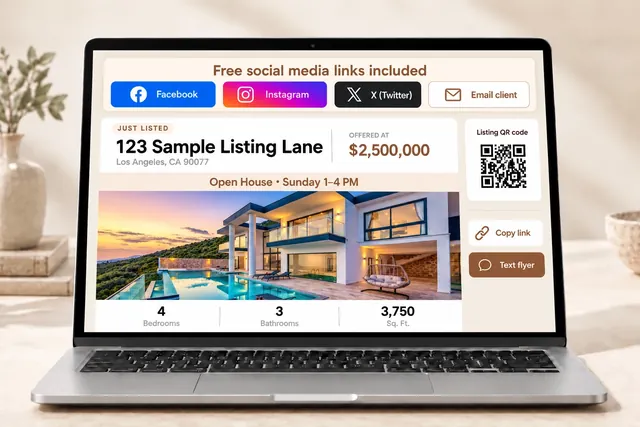
Make the property easy to scan
Choose one strong lead photo
Lead with an image that makes the property recognizable. Use the smaller photos to show what the first image leaves out.
Keep the facts close together
Put the address, current price, beds, baths, and square footage where agents can find them at a glance.
Give agents something to share
Add a way to request a showing or learn more. After the blast goes out, share the flyer link or QR code with your seller or on social media.
Choose coverage around the property
Send to real estate agents in the market you choose. Available counts vary by address.
The 3-mile option includes up to 1,000 emails. Review the coverage and price for your address before checkout.
Frequently asked questions
What is a real estate eflyer?
An eflyer, also written e-flyer, is a digital property flyer. It brings the listing photos, facts, contact details, and next step into a single link that agents can share.
Can I upload a flyer my brokerage already designed?
Yes. Start with your property address, then choose the custom flyer option and upload the finished design.
Can I send my e-flyer to other REALTORS®?
Yes. Choose the coverage radius around the property to reach local real estate agents and brokers. Preview your flyer and review the audience options before you pay.