
How to Make a Real Estate E-Flyer
A real estate e-flyer, or eflyer, is the digital property page an agent can send to a buyer. A good one puts the information a buyer needs in view and gives them a clear way to ask about the property.
Choose a photo sequence that tells the story
Start with an exterior or the room that best explains the listing. Follow with photos that clarify how someone would live there, such as the kitchen, main living area, or an outdoor space. Avoid several near-identical angles when another room would answer a buyer’s question.
Write the copy in the order people scan it
Give the reader the property address and current price first. Then group comparable facts such as beds, baths, and square footage. Use the description to add something the photos cannot show, such as the location of a first-floor suite.
Choose a next step that matches the listing
Use a showing request for a new listing, an event time for an open house, or a property link when an agent needs more details. Check contact details and tap every link in the mobile preview.
Review a custom flyer before uploading it
If your design uses text in an image, open it on a phone at normal size. Make the price, address, and event hours larger if you need to zoom. Check the live flyer preview again after upload.
A flyer someone can scan quickly
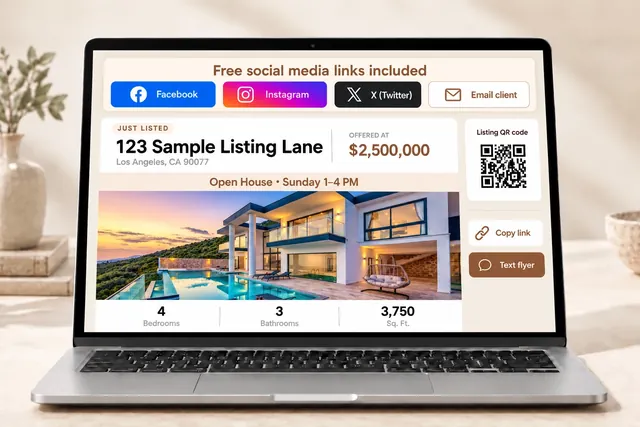
At the fictional 123 Listing Dr, the exterior sets the scene, the kitchen and living photos show the layout, and the showing button tells the buyer or agent what to do next.
View the sample e-flyerReview checklist
- Use a clear lead image and include the current price.
- Check the property facts and your contact details.
- Preview the flyer on a phone and test the showing or property link.
Start with your property address
Find the listing and open the builder with your address filled in.